How to Create an Invitation with Map and RSVP: Complete Step-by-Step Guide
Ek invitation jo sirf information nahi deti par guest ke liye action enable karti hai — ek tap me venue map, ek tap me RSVP, ek tap me dietary preference. Yahaan complete step-by-step guide modern digital invitation banane ka, with practical tips on map embedding, multi-venue handling, parking instructions, RSVP field structure, aur mobile testing.
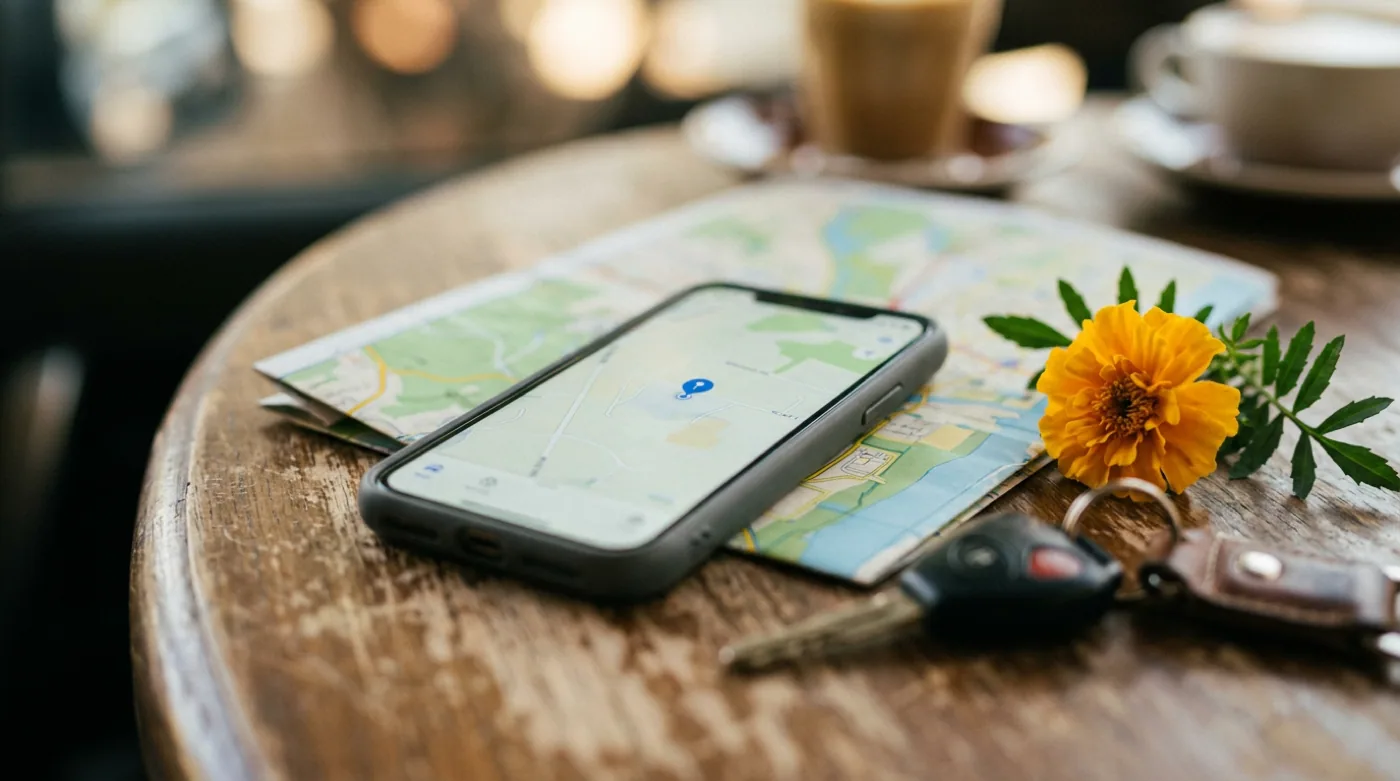
Key takeaway
Ek modern digital invitation ka job sirf ‘event ki information dikhana’ nahi hai — uska job hai guest ke liye actions enable karna: ek tap me venue map khulna, ek tap me RSVP submit ho jaana, ek tap m…
Step 1: Content planning before tool selection
Ek common mistake hai directly tool me jump kar jaana aur khaali invitation template fill karna start karna. Better approach hai pehle paper par ya simple notes me content plan banana. Yeh 30-45 minute ka investment baki saare steps ko significantly smooth banata hai.
Pre-design content checklist
- ✓Host names (exact spellings, prefixes, family names).
- ✓Event type aur specific occasion name.
- ✓Date (with day of week), start time (specific muhurat if applicable).
- ✓Full venue address with landmark.
- ✓Google Maps URL (mobile par test kiya hua).
- ✓Multi-function schedule agar applicable hai (har function ka separate date/time/venue).
- ✓Dress code suggestions (function-specific if multi-day).
- ✓Kids policy decision.
- ✓Parking instructions (gate number, floor, valet availability).
- ✓RSVP deadline aur method.
- ✓Contact person for queries (name + phone).
- ✓Optional: family elders ka mention, kuldevta reference, mantra/shloka.
Step 2: Template aur tool selection
Aaj 2026 me Indian wedding invitation platforms ka kaafi mature ecosystem hai. Most platforms ek similar core flow follow karte hain — occasion select karo, template pick karo, customize karo. Selection ke time inn factors par dhyan dein:
Tool selection ke key factors
- Occasion-specific templates available hain ya generic — Indian wedding ke liye haldi, mehendi, sangeet, etc. specific templates better hote hain.
- Map integration native hai ya manual link paste — native integration mobile experience me better hota hai.
- RSVP capture multi-field hai (name, count, dietary, etc.) ya basic — wedding ke liye multi-field zaroori hai.
- Multi-function support hai — agar aapki wedding multi-day hai to ek hi platform me sab functions handle hone chahiye.
- Bilingual / Hindi font support hai — kaafi templates English-first hote hain, Hindi quality variable hoti hai.
- Mobile-first design ya desktop-first — Indian guests primarily mobile par dekhte hain, mobile UX crucial hai.
- Customization flexibility — color, font, image, design layout kitna customize ho sakta hai.
- Dashboard quality post-RSVP — real-time tracking, automatic reminders, export options.
- Pricing model — per-event fee ya subscription, hidden costs check karein.
Step 3: Map integration done right
Map integration karna ‘link paste karna’ se zyada hai. Ek complete map experience me address text, embedded preview, clickable link, parking instructions, aur multi-venue support sab hote hain. Yeh details guest experience me significant difference banati hain — late arrivals reduce hote hain aur frustration almost zero ho jaati hai.
Map integration step-by-step
Yeh steps har platform me applicable hain.
- Step 1
Sahi Google Maps link generate karein
Google Maps app me venue search karein, ‘Share’ button tap karein, aur ‘Copy link’ select karein. Shortened link (goo.gl/maps/...) avoid karein agar possible ho, full link more reliable hai.
- Step 2
Address text bhi alag se likhein
Sirf map link nahi — full address text bhi mention karein. Map fail ho jaaye to guest manual navigate kar sake. Format: ‘ABC Banquet Hall, [Building], opposite XYZ landmark, [Area], [City] [Pincode]’.
- Step 3
Building-specific details add karein
Bade banquet halls aur hotels me multiple entrances hote hain. ‘Entry from Gate 2 (near banyan tree)’ ya ‘3rd floor — take left elevator’ jaise details add karein.
- Step 4
Parking instructions clearly mention karein
‘Valet parking available at main gate’, ‘Basement parking from Gate 3’, ‘Limited parking — please carpool ya use Uber/Ola’. Yeh detail late arrivals significantly reduce karta hai.
- Step 5
Multiple venues ke liye separate sections
Agar multi-function wedding hai aur har function alag venue par hai, to har venue ke liye separate map block. ‘Click map for Mehendi venue’, ‘Click map for Wedding venue’ — clearly differentiated.
- Step 6
Mobile par end-to-end test karein
Apne phone me invite open karein, map link tap karein, dekho ki Google Maps me sahi venue khulta hai, aur navigation start hota hai. Yeh test critical hai — kabhi-kabhi link copy karne me galat URL chala jaata hai.
Step 4: RSVP fields structure
RSVP form ka structure response rate aur data quality dono ko directly affect karta hai. Bahut zyada fields se guests overwhelm hote hain (drop-off increases); bahut kam fields se data incomplete rehta hai (planning suffers). Sweet spot hai 5-7 fields, mostly required, 1-2 optional.
Mandatory RSVP fields (5)
- Guest name — full name, jaisa invitation par tha. Pre-fill agar guest list mapping hai.
- Attending status — Yes / No / Maybe (radio buttons, clear visual differentiation).
- Total headcount — adults + kids separately. Single ‘total’ field avoid karein.
- Contact number — WhatsApp / phone, follow-up ke liye essential.
- Functions attending (if multi-day) — checkboxes for mehendi / haldi / sangeet / wedding / reception.
Optional but high-value RSVP fields (3-4)
- Dietary preference — Veg / Non-veg / Jain / Vegan / Allergies (with text field).
- City / outstation — travel planning aur hotel block ke liye useful.
- Accessibility needs — wheelchair, ground floor seating, infant chair.
- Special note to host — free text, ‘anything you’d like us to know?’.
Step 5: Multi-function structure
Indian weddings me multi-day functions standard hain — mehendi, haldi, sangeet, wedding, reception. Inhe ek hi invitation me organize karna design challenge hai par modern platforms ne yeh kaafi achhe se solve kiya hai. Structure typically yeh hota hai:
Multi-function invitation structure
Har function ek ‘block’ ki tarah, with all relevant details.
- Step 1
Top par overall summary
Couple ke naam, primary date (wedding date), aur a brief invitation message. Yeh first impression hai.
- Step 2
Function-wise blocks (visually distinct)
Har function ka separate block — function name, date, time, venue, dress code, special note. Visual differentiation (color band, icon) helps.
- Step 3
Map links function-wise
Har block me uss function ke venue ka map link. Agar same venue hai to ek shared map block ho sakta hai.
- Step 4
RSVP with function checkboxes
Guest jis-jis function me aana chahta hai woh check kare. Yeh selective attendance allow karta hai.
- Step 5
Travel + accommodation section (for destination weddings)
Hotel recommendations, airport pickup info, local transportation. Outstation guests ke liye crucial.
- Step 6
Family elder mentions + blessing line
Bottom par parents/grandparents mention, ek warm closing line — invitation ko transactional se relational banata hai.
Step 6: Mobile testing (critical step)
Indian guests ka 90%+ phone se invitation dekhte hain. Desktop preview accha lag sakta hai par mobile par usability issues common hote hain. Mobile testing skip karna ek common mistake hai jo response rate par direct impact dalta hai.
Mobile testing checklist
- ✓Invitation Android phone (Chrome) par open karein — load time, font rendering, button alignment check karein.
- ✓Same iPhone (Safari) par open karein — Apple devices me rendering different hota hai.
- ✓Slow network simulate karein (4G ya 3G mode) — agar load time 5+ seconds hai to image optimize karein.
- ✓Map link tap karke verify karein ki Google Maps open hota hai aur sahi venue dikhata hai.
- ✓RSVP form fill karein end-to-end — submit button tap karein, confirmation message dekho.
- ✓Submitted data dashboard me dikha ya nahi confirm karein.
- ✓Multiple browsers (Chrome, Safari, Firefox) me test karein.
- ✓Older Android phones (5+ years) par bhi test karein — fonts aur layouts compatibility ke liye.
- ✓Hindi text rendering check karein (agar bilingual hai) — kuch fonts Hindi me broken dikh sakte hain.
- ✓Image quality aur size check karein — agar 5MB+ images hain to compress karein.
Step 7: WhatsApp sharing strategy
Invitation banane ka final goal hai guests tak pohunchna. Indian context me iska 90%+ WhatsApp ke through hota hai. WhatsApp sharing ek art hai — sirf link bhejna kafi nahi hai. Caption, image preview, aur message ka tone sab guest engagement par affect karte hain.
Effective WhatsApp sharing tactics
- Link share karne se pehle ek warm message likhein — ‘Hum aapko hamari shaadi me invite karna chahte hain. Yeh raha invitation [link]’ better hai than naked link.
- Image preview test karein — WhatsApp link ke preview me jo image aati hai woh attractive aur recognizable honi chahiye.
- Short message + link combination — 3-4 lines text + invitation link ek WhatsApp screen me fit ho jaata hai.
- Personal messages > bulk forwards — close family ko personal text bhejein, bulk group forward extended network ke liye.
- Forward-friendly format — agar guest kisi aur ko forward karega to message context ke saath jaaye, sirf link nahi.
- Voice note option — elders ke liye ek warm voice note ‘Mummy, papa ne shaadi ka card bheja hai, yeh raha link [link]’ kaafi acceptable hota hai.
- Re-share strategy — pehli send ke 3-4 din baad ek follow-up: ‘Bas remind kar raha tha — invitation link [link]’.
Common mistakes that hurt invitations
Do
- Mobile par end-to-end test karein invitation finalize karne se pehle.
- Map link verify karein — Google Maps me sahi venue khulta hai.
- RSVP fields ka structure clean aur minimal rakhein (5-7 fields max).
- Multi-function invitations me clear visual separation rakhein har function ke liye.
- Address text + map link dono provide karein, sirf ek nahi.
Do not
- Sirf desktop par preview dekh ke invitation finalize mat karein.
- Map link copy karke directly paste mat karein bina test kiye.
- RSVP form me 10+ fields mat banayein — drop-off increase hota hai.
- Multiple venues ko ek hi map block me confuse mat karein.
- Heavy images use mat karein — load time slow karta hai aur mobile data consume karta hai.
- Sirf English text use mat karein agar guests Hindi/regional language prefer karte hain.
- Last-minute updates ke baad mobile re-test skip mat karein — kuch break hua ho sakta hai.
Post-publish maintenance
Invitation publish karke ‘bas done’ nahi hota. Pehle hafte me kuch monitoring zaroori hota hai aur fir periodically updates lagaane padte hain.
Post-publish maintenance tasks
- Pehle 48 ghante: dashboard pe response rate monitor karein, agar slow hai to share strategy reconsider karein.
- Pehle hafta: guest feedback check karein (any links broken, map issues, RSVP submission errors).
- Weekly: pending guests ko reminder via platform (automatic) ya manually (personal).
- Mid-cycle: agar koi major detail change hota hai (venue, time, dress code), single update karein, link unchanged rahe.
- Pre-deadline: deadline se 1 hafta pehle final reminder, pending list close karein.
- Post-deadline: confirmed guests ko event ke 24 ghante pehle reminder + venue map.
- Post-event: invitation link minimum 6 months active rakhein — guests photos aur memories ke liye access karna chahenge.
Final thoughts
Ek strong digital invitation banana ek systematic process hai — content planning, tool selection, map integration, RSVP structuring, mobile testing, WhatsApp sharing, aur post-publish maintenance. Har step me thoughtful decisions response rate aur guest experience par direct effect dalte hain. ‘Bas template fill karke link share kar do’ wala approach bahut common hai par sub-optimal results deta hai. Saare steps me ek extra 2-3 hours invest karna invitation ki quality aur poori event ki smoothness me significant return generate karta hai. Aur sabse important point — mobile par end-to-end test karna, kyunki yahi par 90% guests aapki invitation experience karenge.
Creating an invite with map + RSVP: the practical approach
For most Indian family events, the best system is the simplest one: one source of truth, one link, and one place to confirm. The sections below give you copy-paste templates you can use immediately.
Checklist (copy this)
- ✓One final venue map link (tested)
- ✓One RSVP link/number (not multiple)
- ✓Clear start time and (optional) arrival buffer
- ✓Parking/entry note for apartments/banquets
- ✓A backup contact person for last-mile help
- ✓Reminder schedule planned
Message templates (copy-paste)
Invite message
- Event: [Name]
- Date/Time: [DD MMM], [Time]
- Venue: [Venue] (Map: [Link])
- RSVP by [Date]: [Link/Number]
- Contact: [Name – phone]
Reminder message
- Reminder for [Event] tomorrow [Time].
- Venue map: [Link]
- If coming with family, please confirm headcount.
- Contact: [phone]
Last-mile message (day-of)
- Start time: [Time]
- Entry gate/floor: [details]
- Parking: [details]
- Call: [phone] if you need help
Do’s and don’ts
Do
- Keep one canonical link and reuse it.
- Keep messages short and scannable.
- Update everyone if anything changes.
Do not
- Send different details in different WhatsApp threads.
- Use screenshots as the only location info.
- Change timing without a clear update message.
FAQs
- How many reminders are okay? Usually 2 reminders + optional day-of message.
- Should I ask for headcount? Yes, if food/seating depends on it.
- What if guests don’t respond? Treat them as ‘pending’ and follow up once politely.
- What if the venue changes? Update the same link and send one clear update message.
If something changes (copy this update)
- Update: [Event] venue/time change
- New time: [Time] | New venue: [Venue] (Map: [Link])
- Old message may have outdated details—please follow this update.
- Contact: [Name – phone]
Troubleshooting (common scenarios)
- Guests say “map is wrong” → re-check the pin, then resend one corrected link (don’t send 3 pins).
- Guests ask “which gate?” → add entry gate/floor line and resend the same message once.
- Too many calls → put contact person + parking note in the invite, and resend as a single ‘save this’ message.
- Elders traveling → share landmark + drop-off point + contact number.
Quick takeaways
Micro tips that make a big difference
- Put date + time on one line so it’s visible in the notification preview.
- Avoid sending the map link separately without context—guests won’t know which event it’s for.
- Use the venue’s official name as on Google Maps (reduces wrong pins).
- If you’re sending multiple reminders, resend the same 4–6 key lines each time.
- For elders, include landmark + contact in the same message.
- If you have multiple venues, label them clearly: “Venue (Haldi)” vs “Venue (Sangeet)”.
- Keep emojis consistent; too many looks spammy and is harder to scan.
- Don’t ask guests to RSVP in 2 places (chat + form). Pick one.
Make a map + RSVP invite (step-by-step)
- Create the event page/invite.
- Add venue map link (test it).
- Add RSVP fields: name, headcount, notes.
- Share one short link on WhatsApp.
- Track replies and send reminders.
RSVP fields that reduce confusion
- Name (as per WhatsApp) so you can match replies
- Total guests/headcount (including kids)
- Meal preference (veg/non-veg) only if needed
- A short note field (e.g., wheelchair/elder support, allergies)
WhatsApp message template
- Event: [Name]
- Date/Time: [DD MMM], [Time]
- Venue: [Venue] (Map: [Link])
- RSVP here: [Link] (please confirm by [Date])
- Contact: [Name – phone]
Reminder timeline
- Send invite link (T-14 to T-10 days).
- Reminder 1 (T-7 days).
- Final reminder (T-1 day).
- Morning-of: only if needed (location + time).
Common setup mistakes (avoid)
Do
- Keep one RSVP link and reuse it in reminders.
- Test the RSVP flow on your own phone.
- Keep the event name consistent everywhere.
Do not
- Share multiple forms/links in different messages.
- Ask guests to reply in chat and form both.
- Change venue without updating the original link.
Mini checklist before you share
- ✓Map link opens correctly and pin is accurate
- ✓Start time appears once and matches everywhere
- ✓RSVP link works and fields are correct
- ✓A backup contact number is listed
- ✓Parking/entry note added (if needed)
Helpful links
Keep exploring — invitation hubs
Templates, occasions, and wording — strong paths from this article into the product surface.
FAQs – How to Create an Invitation with Map and RSVP: Complete Step-by-Step Guide
Map embed karna chahiye ya sirf link dena?
Both — ek small embed visual preview ke liye, aur ek prominent ‘Open in Google Maps’ link action ke liye. Sirf embed se action nahi hota (guest map ko interactive expect karta hai), aur sirf link se context miss ho jaata hai.
Multiple venues kaise handle karein?
Har function ke liye separate block banayein, with venue name, address, map link, aur parking instructions independently per block. Agar same venue across multiple functions hai, to ek shared map block possible hai but timing function-wise alag rakhein.
Parking information kahan place karein?
Map block ke ekdam neeche — 1-2 lines me. ‘Valet parking at main gate’ ya ‘Basement parking via Gate 3’ jaise short notes. Yeh information bade venues me late arrivals significantly reduce karta hai.
RSVP form me kitne fields rakhne chahiye?
5-7 fields ideal hai — 5 mandatory (name, attending, headcount, contact, functions) + 2 optional (dietary, special note). 10+ fields se drop-off rate significantly increase ho jaata hai. Less is more for response rate.
Invitation publish karne ke baad changes possible hain?
Most modern platforms par yes — design, content, venue, timing sab edit possible hai bina link change kiye. Guests ko same link automatically updated content dikhega. Yeh printed cards ke comparison me major advantage hai.
Bilingual invitation banana kaise hota hai?
Most platforms language toggle support karte hain — guest invitation ke top par language switch kar sakta hai. Hindi font rendering quality check karein especially older Android phones par. Bilingual invitations Indian context me kaafi appreciated hote hain elderly relatives ke liye.
WhatsApp par link preview achha kaise banayein?
Platform settings me ‘social sharing image’ ya ‘OG image’ field check karein — ek attractive thumbnail set karein jo WhatsApp link preview me dikhega. Yeh image quality first impression banati hai.
Kya ye content har family par apply hota hai?
Nahi—India me customs family/community ke hisaab se change hote hain. Isliye is guide ko practical baseline samjho.
Invite ko short kaise rakhein?
Headline + bullets (date/time/venue/RSVP) rakho, aur extra details ko separate section/link me rakho.
Read next
Continue your learning journey with these related guides.
Planning
Best Way to Share Event Location with Guests: Complete Guide for Indian Venues
Indian venues — banquet halls, farmhouses, hotels, religious sites — share karne me unique challenges hote hain. Multiple gates, alternate entrances, parking confusion, landmark importance, aur regional address quirks. Yeh complete guide map link strategy, landmark notation, parking instructions, multi-venue handling, aur common pitfalls cover karta hai.
10 min read
Planning
What Details Should Every Invitation Include: The Complete Checklist for Indian Events
Ek complete invitation me kuch cheezein mandatory hain, kuch optional, aur kuch situational. Yahaan ek systematic checklist — must-have details, important-but-optional details, multi-day function ke liye special considerations, aur woh small details (parking, kids policy, dress code) jo guest experience ko make-or-break kar dete hain.
10 min read
RSVP
Google Form RSVP vs Dedicated RSVP Page: Honest Comparison for Indian Weddings
Google Form free hai aur setup fast hai — par kya woh aapki wedding RSVP ke liye sahi tool hai? Dedicated RSVP page me kya extra milta hai? Yahan honest comparison across setup time, branding, guest trust, response rate, data quality, aur woh subtle factors jo decide karte hain ki guests actually RSVP karenge ya nahi.
14 min read
On this page
- Content planning
- Tool selection
- Map integration
- RSVP fields structure
- Multi-function structure
- Mobile testing
- WhatsApp sharing
- Common mistakes
- Post-publish maintenance
- Final thoughts
- Creating an invite with map + RSVP: the practical approach
- Checklist (copy this)
- Message templates (copy-paste)
- Do’s and don’ts
- FAQs
- If something changes (copy this update)
- Troubleshooting (common scenarios)
- Quick takeaways
- Micro tips that make a big difference
- Make a map + RSVP invite (step-by-step)
- WhatsApp message template
- Reminder timeline
- Common setup mistakes (avoid)
- Mini checklist before you share