Google Form RSVP vs Dedicated RSVP Page: Honest Comparison for Indian Weddings
Google Form free hai aur setup fast hai — par kya woh aapki wedding RSVP ke liye sahi tool hai? Dedicated RSVP page me kya extra milta hai? Yahan honest comparison across setup time, branding, guest trust, response rate, data quality, aur woh subtle factors jo decide karte hain ki guests actually RSVP karenge ya nahi.
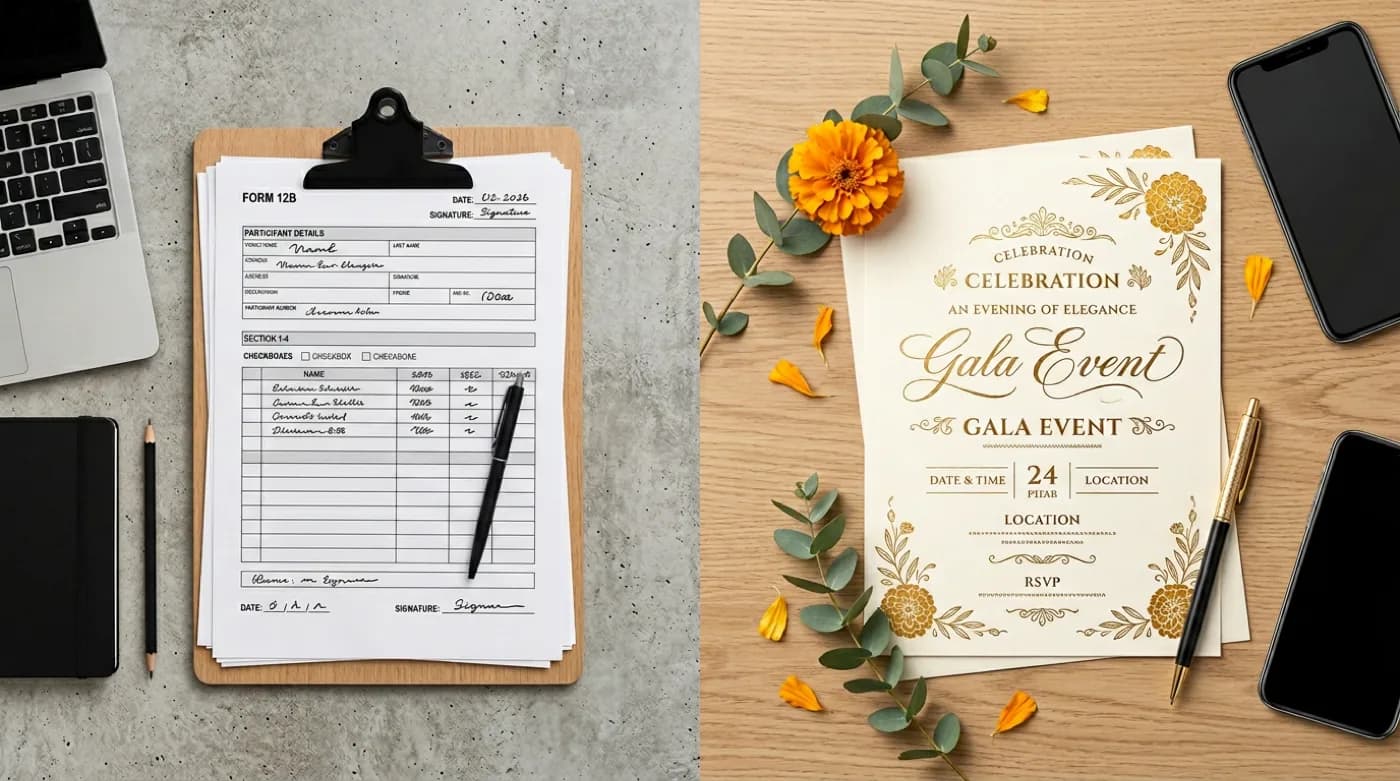
Key takeaway
RSVP collect karne ke liye aaj Indian couples ke pas mainly do options hain — Google Form (free, fast, familiar) ya ek dedicated RSVP page jo digital invitation platform ke saath integrated ho. Dono k…
Google Form ka real strength: speed aur familiarity
Google Form ek mature, free tool hai jo har Gmail user ko already available hai. Ek wedding RSVP form 15 minutes me ban sakta hai — name field, email, attending yes/no, headcount, dietary preferences, aur ek submit button. Form share karne ke liye ek link copy karna hai, aur responses Google Sheet me automatically populate ho jaate hain. Iska familiarity bhi advantage hai — guests jo workplace me forms fill kar chuke hain unhe interface immediately recognizable lagta hai.
Iss simplicity ki vajah se Google Form genuinely useful hai kuch specific situations me. Chhote family functions (under 30 guests), informal birthday parties, internal team events, ya jahan host khud tech-savvy nahi hai aur seekhne ka time nahi hai — yahan Google Form ka quick deployment value provide karta hai. Plus, agar host already Google Workspace use kar raha hai data management ke liye, to Form se Sheet ka direct integration workflow ko streamline karta hai.
Google Form ki real limitations weddings me
Lekin wedding context me Google Form ke kuch genuine limitations sahmne aate hain jo response rate aur guest experience par direct effect dalte hain. Inhe samajhna important hai before defaulting to ‘Form free hai, isi se kaam chal jayega’.
Wedding context me Google Form ki limitations
- Generic branding — form pe Google ka watermark dikhta hai, aapki wedding ka design nahi. Yeh trust signal kam karta hai, especially elder guests ke liye who may wonder ‘yeh asli invitation hai ya scam?’
- Mobile UX — Google Form mobile par okay hai, par optimized nahi. Buttons chhote hain, dropdown awkward feel karte hain, aur load time slow ho sakta hai older phones par.
- No invitation context — form ke top par sirf form title hota hai, koi rich invitation content nahi. Guest ko separately invitation dekhna padta hai aur phir form bharna padta hai — extra friction.
- Limited customization — colors basic hain, fonts limited, embed images possible par awkward. Aapki wedding ki aesthetic match karna mushkil.
- No multi-function structure — agar aapki wedding me mehendi, sangeet, wedding, reception sab hain, to ek single form me sab functions handle karna confusing ho jaata hai.
- No automatic follow-up — pending guests ko automatic reminder bhejne ka native way nahi hai; sab manual karna padta hai.
- Data analysis basic — responses Sheet me aate hain, par ‘kitne yes, kitne no, kitne maybe’ jaisi quick analysis manually karni padti hai.
- No real-time dashboard — host ko Google Sheet open karke calculations karne padte hain, ek branded dashboard nahi milta.
Dedicated RSVP page kya offer karta hai
Ek dedicated RSVP page wedding planning tools (like digital invitation platforms) ka integrated part hota hai. Yeh ek standalone form nahi hai — yeh aapki invitation ke saath cohesively integrated experience hai.
Dedicated RSVP page ka real value
- Branded experience — page aapki wedding ki design language match karta hai, fonts, colors, aur imagery sab cohesive feel karte hain.
- Integrated invitation context — RSVP form invitation ke andar embedded hota hai, guest ko separately navigate nahi karna padta.
- Mobile-first design — primarily mobile par optimized, kyunki most Indian guests phone par hi RSVP karte hain.
- Multi-function structure — har function (mehendi, haldi, sangeet, wedding, reception) ka alag RSVP block, guests selectively attend kar sakte hain.
- Automated reminders — pending guests ko automatic reminders bhej diye jaate hain deadline se pehle.
- Real-time dashboard — host ko ek clean dashboard milta hai with yes/no/maybe breakdown, side-wise count, dietary summary.
- Headcount tracking — adults + kids separately, dietary preferences structured (veg/non-veg/Jain/allergies), accessibility flags — sab pre-structured.
- Guest list integration — invite-list ke against RSVPs map ho jaate hain automatically, pending list ek click me dikhti hai.
- Higher response rate — branded, cohesive experience typically 15-25% higher response rate generate karta hai vs generic form.
- Data export — CSV export Google Form se bhi possible hai par dedicated platforms structured exports dete hain (wedding planner ke liye ready format).
Detailed comparison across key dimensions
| Dimension | Google Form | Dedicated RSVP Page |
|---|---|---|
| Setup time | 15-30 minutes | 30-60 minutes (with branded design) |
| Cost | Free | ₹500-5,000 (one-time platform fee) |
| Branding quality | Generic Google watermark | Custom matching invitation |
| Mobile UX | Functional | Optimized for Indian phones |
| Response rate (typical) | 40-55% | 55-75% |
| Multi-function support | Awkward in single form | Native function-wise blocks |
| Automatic reminders | None (manual) | Built-in cadence |
| Real-time dashboard | Manual Sheet analysis | Visual dashboard |
| Data structure | Flat sheet | Structured guest profiles |
| Guest trust signal | Generic | High (branded experience) |
| Integration with invitation | Separate link | Embedded in invite |
| Late changes | Manual edits | Self-service edit links |
Response rate ka real impact
RSVP tools choose karne me sabse important factor cost ya features nahi hai — response rate hai. Ek 500-guest wedding me agar response rate 50% hai vs 70%, to difference hai 100 unconfirmed guests — jo catering, seating, aur planning par direct chaos hai. Dedicated RSVP pages branded experience aur cohesive guest journey ki vajah se typically 15-25% higher response rate generate karte hain.
Iska reason multi-fold hai: (1) Branded experience trust signal raise karta hai — guest ko pata hai yeh authentic wedding invitation hai; (2) Mobile UX better hai — friction kam, response easy; (3) Invitation context immediately available — guest ko ‘main yeh form kis liye bhar raha hoon?’ wala doubt nahi hota; (4) Automatic reminders pending guests ko gently nudge karte hain without host ko har baar manually message karne ki zaroorat ke.
Kab Google Form perfectly fit hai
Google Form ke ideal use cases
- Chhota family function (under 30 guests) — informal birthday, intimate housewarming, casual dinner.
- Internal team events — office party, team outing, conference RSVP jahan branding zaroori nahi.
- Single-function events — ek hi function with simple yes/no, multi-function complexity nahi.
- Quick deployment scenarios — last-minute event jahan 1-2 hafte hi hain, polished platform setup nahi possible.
- Tech-comfortable hosts jo Google Sheets me khud manage karna comfortable feel karte hain.
- Budget-conscious situations jahan platform fee absolutely justify nahi ho sakti.
- Surveys aur feedback collection — Google Form ka original use case, yeh genuinely strong tool hai.
Kab dedicated RSVP page choose karein
Dedicated page strongly fits
- Indian weddings — multi-function, multi-day, large guest list (200+), branded experience expected.
- Multi-function celebrations — birthday + reception + dinner across same weekend, har function alag RSVP.
- Formal family events where guest experience matters — engagement, naamkaran, milestone anniversaries.
- Destination weddings — outstation guests ke liye comprehensive information (RSVP + travel + accommodation) ek hi place pe.
- High-touch corporate events — formal conferences, awards events jahan branding zaroori hai.
- Events with significant guest count (200+) jahan automatic reminders aur dashboard tracking time save karte hain.
- Multilingual contexts — Hindi/English toggle, regional language support.
- Hosts who want to delegate — wedding planner ya family coordinator dashboard ke through direct manage kar sake.
Common mistakes choosing between them
Do
- Apni guest count aur formality level ke based pe decide karein — yeh primary factor hai.
- Response rate impact ko calculate karein — 20% higher response rate kya value laata hai aapke specific event ke liye?
- Mobile UX experience yourself dono tools me — apne phone par dono ko test karein guest experience ke perspective se.
- Multi-function structure check karein agar aapki wedding multi-day hai — Google Form me yeh genuinely awkward hai.
- Wedding planner ya family coordinator se consult karein — unhe pata hai kis tool me kaam efficiently hota hai.
Do not
- ‘Form free hai, isiliye better hai’ aisa mat sochein — total cost of ownership (response rate impact + time spent + data quality) consider karein.
- Sirf ‘setup time’ ko factor mat banayein — actual day-to-day usage aur data management bhi count karta hai.
- Google Form ko sirf ‘yes/no/maybe’ field tak limit mat karein — headcount, dietary, accessibility sab capture karein.
- Dedicated platform choose karke usko under-use mat karein — saare features (dashboard, reminders, dietary tracking) use karein.
- Last-minute switch karne ki koshish mat karein — invitation send karne ke baad tool change karna confusing hai guests ke liye.
Hybrid approach: dono ka combination
Kuch families ek hybrid approach use karti hain — primary RSVP dedicated platform pe, par specific sub-groups ke liye Google Form parallel use. Example: main wedding RSVP dedicated page pe, par mehendi (chhota function, sirf women) ke liye ek simple Google Form. Yeh approach work karta hai jab functions size aur formality me kaafi different hote hain.
Data export aur post-event analysis
Wedding ke baad RSVP data ka use multiple ways me hota hai — thank you cards, photo distribution, future event invitations, family contact updates. Dono tools data export support karte hain par structure aur usability me difference hai.
| Aspect | Google Form | Dedicated Page |
|---|---|---|
| Export format | CSV (basic) | CSV + Excel + structured |
| Post-event reports | Manual creation | Built-in summaries |
| Contact management | Flat list | Categorized profiles |
| Future event reuse | Re-enter data | One-click re-invite |
Final thoughts
Google Form aur dedicated RSVP page dono valid tools hain, par alag-alag use cases ke liye. Google Form chhote, informal events ke liye perfectly fits jahan setup speed aur cost matter karte hain. Dedicated RSVP page Indian weddings aur formal family events ke liye genuinely superior hai — branded experience, higher response rate, multi-function support, automatic reminders, aur real-time dashboard sab milke ek significantly better outcome generate karte hain. Decision tab tak easy hai jab tak aap apne event ka context honestly assess karein — guest count, formality, multi-function structure, aur kitna time aap RSVP management me invest kar sakte hain. ‘Form free hai’ kahna start point ban sakta hai, par actual planning quality ke liye ek thoughtful tool choice kaafi return de sakta hai.
Choosing an RSVP tool: the practical approach
For most Indian family events, the best system is the simplest one: one source of truth, one link, and one place to confirm. The sections below give you copy-paste templates you can use immediately.
Checklist (copy this)
- ✓One final venue map link (tested)
- ✓One RSVP link/number (not multiple)
- ✓Clear start time and (optional) arrival buffer
- ✓Parking/entry note for apartments/banquets
- ✓A backup contact person for last-mile help
- ✓Reminder schedule planned
Message templates (copy-paste)
Invite message
- Event: [Name]
- Date/Time: [DD MMM], [Time]
- Venue: [Venue] (Map: [Link])
- RSVP by [Date]: [Link/Number]
- Contact: [Name – phone]
Reminder message
- Reminder for [Event] tomorrow [Time].
- Venue map: [Link]
- If coming with family, please confirm headcount.
- Contact: [phone]
Last-mile message (day-of)
- Start time: [Time]
- Entry gate/floor: [details]
- Parking: [details]
- Call: [phone] if you need help
Do’s and don’ts
Do
- Keep one canonical link and reuse it.
- Keep messages short and scannable.
- Update everyone if anything changes.
Do not
- Send different details in different WhatsApp threads.
- Use screenshots as the only location info.
- Change timing without a clear update message.
FAQs
- How many reminders are okay? Usually 2 reminders + optional day-of message.
- Should I ask for headcount? Yes, if food/seating depends on it.
- What if guests don’t respond? Treat them as ‘pending’ and follow up once politely.
- What if the venue changes? Update the same link and send one clear update message.
If something changes (copy this update)
- Update: [Event] venue/time change
- New time: [Time] | New venue: [Venue] (Map: [Link])
- Old message may have outdated details—please follow this update.
- Contact: [Name – phone]
Troubleshooting (common scenarios)
- Guests say “map is wrong” → re-check the pin, then resend one corrected link (don’t send 3 pins).
- Guests ask “which gate?” → add entry gate/floor line and resend the same message once.
- Too many calls → put contact person + parking note in the invite, and resend as a single ‘save this’ message.
- Elders traveling → share landmark + drop-off point + contact number.
Quick takeaways
Micro tips that make a big difference
- Put date + time on one line so it’s visible in the notification preview.
- Avoid sending the map link separately without context—guests won’t know which event it’s for.
- Use the venue’s official name as on Google Maps (reduces wrong pins).
- If you’re sending multiple reminders, resend the same 4–6 key lines each time.
- For elders, include landmark + contact in the same message.
- If you have multiple venues, label them clearly: “Venue (Haldi)” vs “Venue (Sangeet)”.
- Keep emojis consistent; too many looks spammy and is harder to scan.
- Don’t ask guests to RSVP in 2 places (chat + form). Pick one.
Google Form vs RSVP page (decision)
| Option | Best for | Watch out |
|---|---|---|
| Google Form | Quick setup | Guests may forget link, less polished |
| Dedicated RSVP page | Premium guest experience | Requires setup but scales well |
| WhatsApp replies | Very small events | Hard to track and messy threads |
Quick recommendation
- Small event (≤50 guests): Google Form can work if you keep it simple.
- Medium/large event: dedicated RSVP page reduces back-and-forth and looks premium.
- If you expect changes: dedicated page is easier because you update one link.
What to include (quick checklist)
- ✓Host/couple/family names (as you want them displayed).
- ✓Event name + date + start time (and end time if relevant).
- ✓Venue name + full address + Google Maps link.
- ✓Dress code / theme (only if you truly need it).
- ✓RSVP method + last date (button/link/phone).
- ✓Any special note: kids policy, parking, gifts, footwear, etc.
Copy-ready templates
Short & clear (WhatsApp-friendly)
- RSVP for [Name]
- Date: [Day, DD MMM] | Time: [Time]
- Venue: [Venue / Area] (Map: [Link])
- RSVP by [Date]: [RSVP Link/Number]
Warm family tone
- With joy in our hearts, we invite you to join us for RSVP of [Name].
- Your blessings and presence will make the day special.
- Details: [Date, Time, Venue]. RSVP: [Link].
Formal tone
- Request the pleasure of your company at the rsvp of [Name] on [Date] at [Venue].
- Kindly RSVP by [Date] at [Link/Number].
Template bank (mix & match)
- You’re invited to rsvp of [Name] on [Date] at [Venue]. RSVP: [Link].
- Join us for a joyful rsvp celebration for [Name].
- Timing: [Time] | Venue: [Address] | Map: [Link]
- RSVP by [Date] (so we can plan food): [Link]
- Dress: Yellow/white (optional) | Comfortable footwear suggested
- Family-only note: “This is an intimate family gathering.”
- Kids note: “Kids are welcome” / “Adults-only event” (choose one)
- Parking note: “Parking available at [spot]. Entry gate: [X].”
- Gift note (optional): “Your presence is our present.”
- If late: “Please arrive by [time] as the main ritual starts on time.”
- For multiple venues: “Please check the venue line for each function.”
- Contact: “[Name] – [phone] for any help.”
- If you’re late: “Please join by [time]; rituals start on time.”
- If you want photos: “Please arrive by [time] for family photos.”
- If venue has multiple gates: “Entry gate: [X]. Please don’t follow old pins.”
- If it’s a home event: “Please use lift/stairs to [floor]. Ring [bell/flat].”
- If it’s a banquet: “Hall: [Name] | Floor: [X].”
- If it’s a destination: “Hotel: [Name] | Check-in: [time] (optional).”
- If you’re doing multiple events: “Full schedule below—save this message.”
Hinglish lines (ready to copy)
- RSVP ke liye aapko hardik nimantran! [Date] ko [Time] par [Venue].
- Map: [Link] | RSVP: [Link/Number] | Deadline: [Date]
- Aapki presence se celebration aur special ho jayega.
- Thoda sa jaldi aa jaiye—main ritual time par start hoga.
- Agar aap family ke saath aa rahe ho, headcount RSVP me mention kar dena.
Ultra-short versions (status style)
- RSVP: [DD MMM], [Time] — [Venue]. Map: [Link]. RSVP: [Link].
- RSVP for [Name] — [DD MMM] [Time]. Venue: [Link].
- Reminder: RSVP tomorrow [Time]. Map: [Link].
RSVP lines that work
- Please RSVP by [Date] so we can plan seating and food.
- If you’re coming with family, mention total guests/headcount in RSVP.
- If plans change, just update us—no stress.
- If you’re unsure, reply ‘maybe’ now and confirm by the deadline.
WhatsApp format (recommended)
Most guests skim. A WhatsApp message works best when the key facts are in the first 4–6 lines. Keep emojis minimal and keep the link(s) short.
Example message
- RSVP — [Name]
- 📅 [Day, DD MMM] | ⏰ [Time]
- 📍 [Venue, Area] (Map: [Link])
- RSVP by [Date]: [RSVP Link/Number]
- Note: [Parking / dress / kids info if needed]
If you have multiple functions
If Haldi/Mehendi/Sangeet are on different days (or even the same day), list each function as a separate mini-block with its own time + venue. This prevents confusion and reduces last-minute calls.
- Function 1: [Name] — [Date], [Time], [Venue] (Map: [Link])
- Function 2: [Name] — [Date], [Time], [Venue] (Map: [Link])
- RSVP once for all functions: [Link]
Common mistakes to avoid
Do
- Put date/time in a separate line.
- Share a clickable map link (not just a landmark).
- Add RSVP deadline and one clear action.
Do not
- Bury venue details inside a long paragraph.
- Write two different start times in different places.
- Use vague phrases like “evening” without a time.
Helpful links
Keep exploring — invitation hubs
Templates, occasions, and wording — strong paths from this article into the product surface.
FAQs – Google Form RSVP vs Dedicated RSVP Page: Honest Comparison for Indian Weddings
Google Form free hai — kya woh dedicated page se inherently better hai?
Free hona price advantage hai, par ‘better’ qualify nahi karta. Better metric hai: response rate, data quality, guest experience, aur final headcount accuracy. Dedicated pages typically 15-25% higher response rate dete hain jo catering cost savings me easily platform fee justify karta hai.
Kya Google Form me bhi branded experience create kar sakte hain?
Limited extent tak — header image, color theme basic level pe customize ho jaate hain. Lekin Google ka watermark, fixed layout, aur generic feel completely eliminate nahi hota. Dedicated platforms ki branded experience fundamentally different level pe hai.
Dedicated RSVP page ke liye monthly subscription hota hai ya one-time fee?
Most Indian platforms ek-time fee charge karte hain per event basis pe — typically ₹500-5,000 wedding ki size aur features ke based pe. Some platforms ‘event package’ offer karte hain jisme invitation design + RSVP + dashboard + reminders sab included hote hain.
Data export Google Form se possible hai?
Haan, Google Sheet me auto-populate hote hain aur waha se CSV download possible hai. Lekin structured analysis (yes/no breakdown, side-wise count, dietary summary) manually karni padti hai. Dedicated platforms yeh analysis automatic provide karte hain.
Bachhon ka count Google Form me kaise capture karein?
Multiple number fields banayein — ‘adults attending’, ‘children under 12’, ‘infants’. Single ‘total count’ field se bachna chahiye kyunki catering aur seating ke liye yeh information separately chahiye.
Multi-language RSVP support kaunse tool me better hai?
Dedicated platforms typically native Hindi/English toggle, aur kabhi-kabhi regional language support offer karte hain (Punjabi, Bengali, Tamil, etc.). Google Form me multi-language form banane ke liye duplicate forms create karne padte hain — kaafi cumbersome hai.
Last-minute RSVPs aur changes handle karne me kaunsa better hai?
Dedicated platforms self-service edit links provide karte hain — guests apni RSVP khud update kar sakte hain bina host se contact kiye. Google Form me edits ke liye new submission karni padti hai ya host ko manually request bhejni padti hai.
Kya ye content har family par apply hota hai?
Nahi—India me customs family/community ke hisaab se change hote hain. Isliye is guide ko practical baseline samjho.
Invite ko short kaise rakhein?
Headline + bullets (date/time/venue/RSVP) rakho, aur extra details ko separate section/link me rakho.
Read next
Continue your learning journey with these related guides.
RSVP
RSVP responses kaise track karein: Single source of truth se complete tracking system tak
RSVP replies collect karna toh easy hai — actual mushkil hai unhe ek single dashboard me organize karna, duplicates avoid karna, family ke saath share karna, aur final headcount par confidently lock karna. Yahan complete framework — tools, owners, cadence, aur common pitfalls — sab.
12 min read
Digital invitations
Printed Card vs Digital Invitation: The Honest Comparison for Modern Indian Weddings
Printed wedding cards have centuries of cultural weight; digital invitations have practical reach, real-time RSVP, and map links. Neither is universally better — the right choice depends on guest demographics, function type, and the role the invitation plays. A clear-eyed comparison across cost, reach, RSVP, elder reception, keepsake value, and the hybrid approach most modern Indian weddings actually use.
13 min read
RSVP
RSVP ka matlab kya hota hai? French phrase se Indian wedding tak ka pura context
RSVP ek French phrase hai jiska literal matlab hai “please reply”. Indian weddings, birthdays, aur housewarmings me iska modern use, deadlines kaise set karein, aur ek host ke liye kya signal jaata hai jab koi RSVP karta hai ya nahi karta — sab ek jagah.
13 min read
On this page
- Google Form strengths
- Form limitations
- Dedicated page strengths
- Detailed comparison
- Response rate impact
- When Form fits
- When dedicated fits
- Common mistakes
- Hybrid approach
- Data export
- Final thoughts
- Choosing an RSVP tool: the practical approach
- Checklist (copy this)
- Message templates (copy-paste)
- Do’s and don’ts
- FAQs
- If something changes (copy this update)
- Troubleshooting (common scenarios)
- Quick takeaways
- Micro tips that make a big difference
- Google Form vs RSVP page (decision)
- Quick recommendation
- What to include (quick checklist)
- Copy-ready templates
- Template bank (mix & match)
- Hinglish lines (ready to copy)
- Ultra-short versions (status style)
- RSVP lines that work
- WhatsApp format (recommended)
- If you have multiple functions